
Visual study tools
Diagrams for Studying: Choose a Map That Fits Your Notes
Before drawing a study diagram, decide what is confusing you: the order of events, the groups, the differences or the connections. This guide helps you choose diagrams for studying that answer that question, rather than making the page decorative.
Create a study diagramA worked visual example
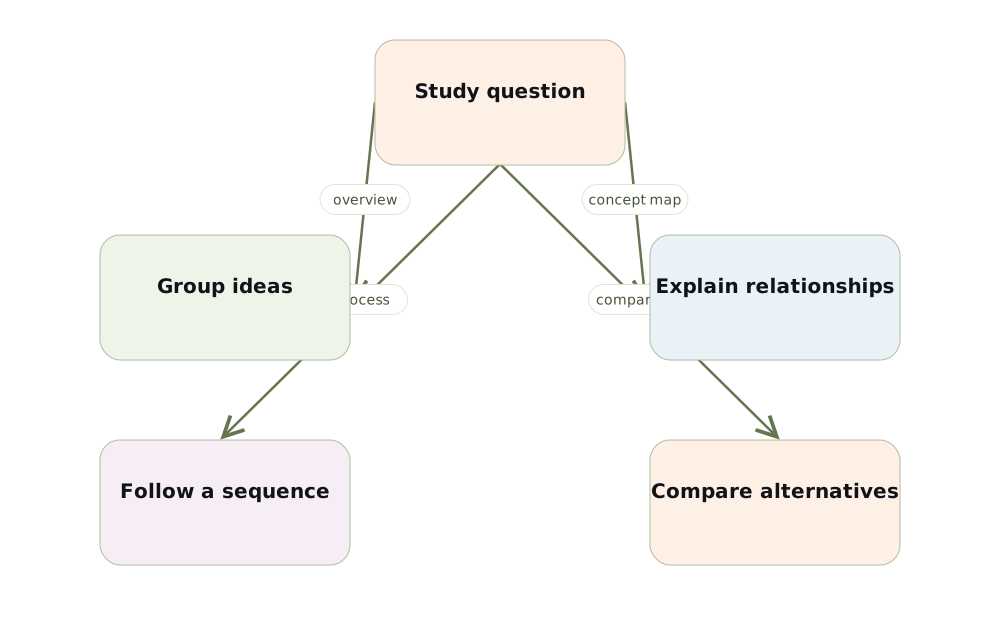
Choose the diagram from the question
For a broad overview, use a mind map with a central theme and a few branches. For a question about how ideas relate, use a concept map with named connections. A process diagram suits ordered steps; a comparison makes differences visible. Do not force every chapter into the same radial layout.
Example: one chapter, different study questions
A chapter about cells can support several diagrams. “What structures does a cell contain?” calls for a hierarchy. “How does a membrane regulate transport?” needs relationships and conditions. “What happens during cell division?” needs a sequence. Decide which question you want to answer before arranging the cards.
Make a diagram you can explain
Keep labels short enough to scan, but preserve important conditions in the explanation. Put related concepts near each other and leave room between groups. An icon can help orientation, but it cannot replace a precise label. Every arrow should communicate something that the source actually supports.
Use the diagram for recall
After reviewing one branch, hide the diagram and redraw that branch from memory. Compare your reconstruction with the source, record what you missed and revisit it later. A polished board is useful only if you can explain the ideas without relying on all the labels remaining visible.
Test your understanding
- Which relationship does my diagram show?
- Can I explain one branch without looking?
Build a map from your own material
Choose Visualize in Memorizite before uploading your document. One generation uses one scan. Review the draft, edit its explanations and relationship labels, move cards and add relevant card images. Export a PDF of the full diagram when you want a study copy. The layout depends on your source; this guide does not promise an identical generated result.
Check the relationships before studying
Create a study diagram